
 CogLakeKnowledge & AI agents
Every source. One context. Every AI.
Connect your knowledge once. Your team searches it with sources, works with it in the AI Workspace and maintains it in a shared wiki, while dedicated agents keep working around the clock, always within your permissions.
Answers you can verify
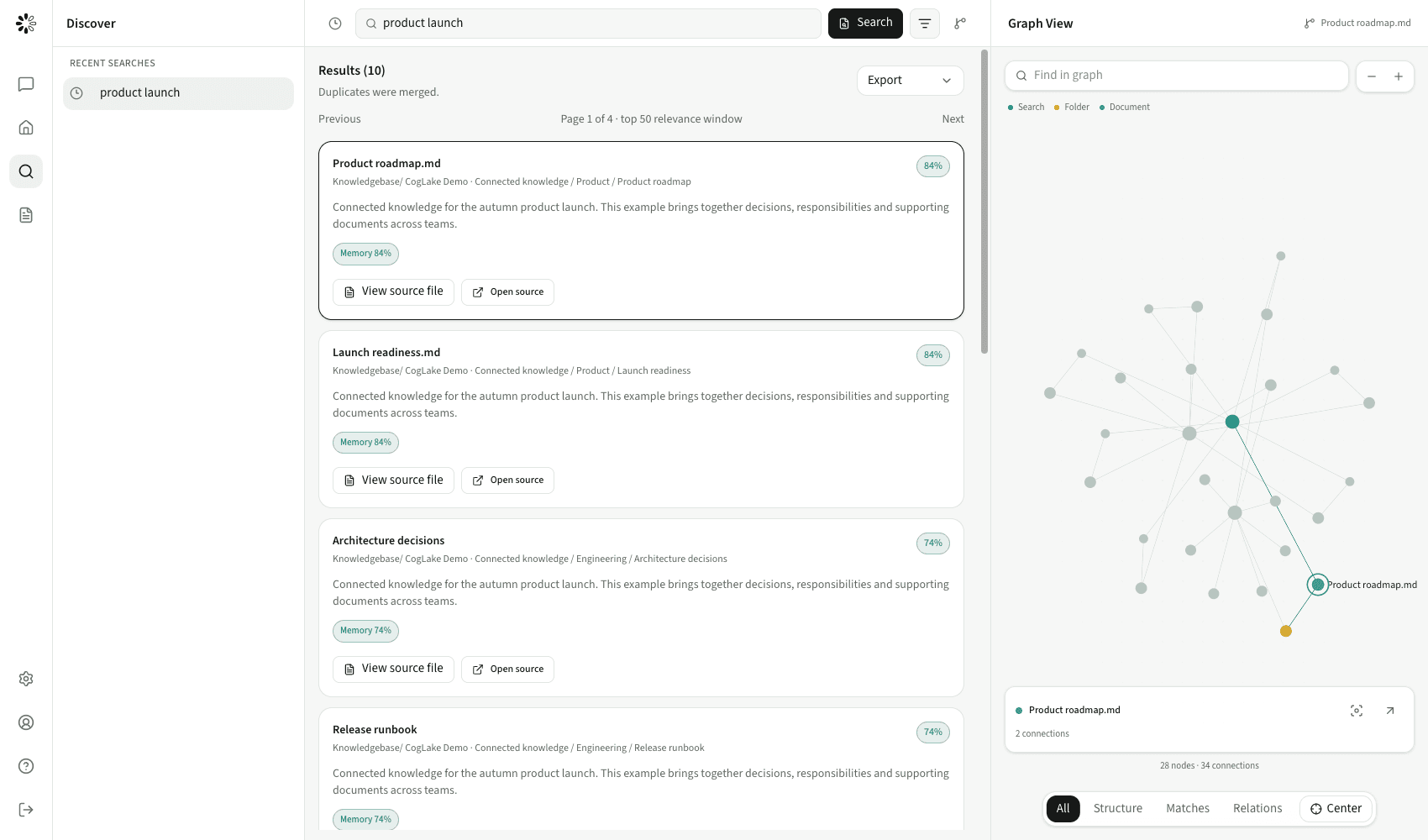
Every search result and chat answer links to its source, so your team can check it instead of trusting a black box.
Permissions stay intact
People and agents only see what they are allowed to see. Access rights carry over from the source systems.
Agents that keep working
Dedicated agents run on the server on schedules or events, even when nobody is logged in, with approvals, runtime limits and model budgets in place.
How CogLake works
Connect your sources once. From then on, your team and your agents work with the same context and the same permissions.
 SharePoint
 Google Drive
 Exchange
 NextcloudCogLakeKnowledge base and agent harness
 Claude and ChatGPT via MCP
Your sources
SharePointGoogle DriveExchangeNextcloudCogLakeKnowledge base and agent harnessFor your team and agents
Claude and ChatGPT via MCPFeatures at a glance
Knowledge base with cited search
Connect documents, mailboxes and drives. Hybrid and graph-based search merges duplicates, shows sources and respects permissions.
Shared wiki and knowledge graph
Teams maintain company knowledge together in a shared wiki and see how documents, topics and decisions connect.
AI Workspace
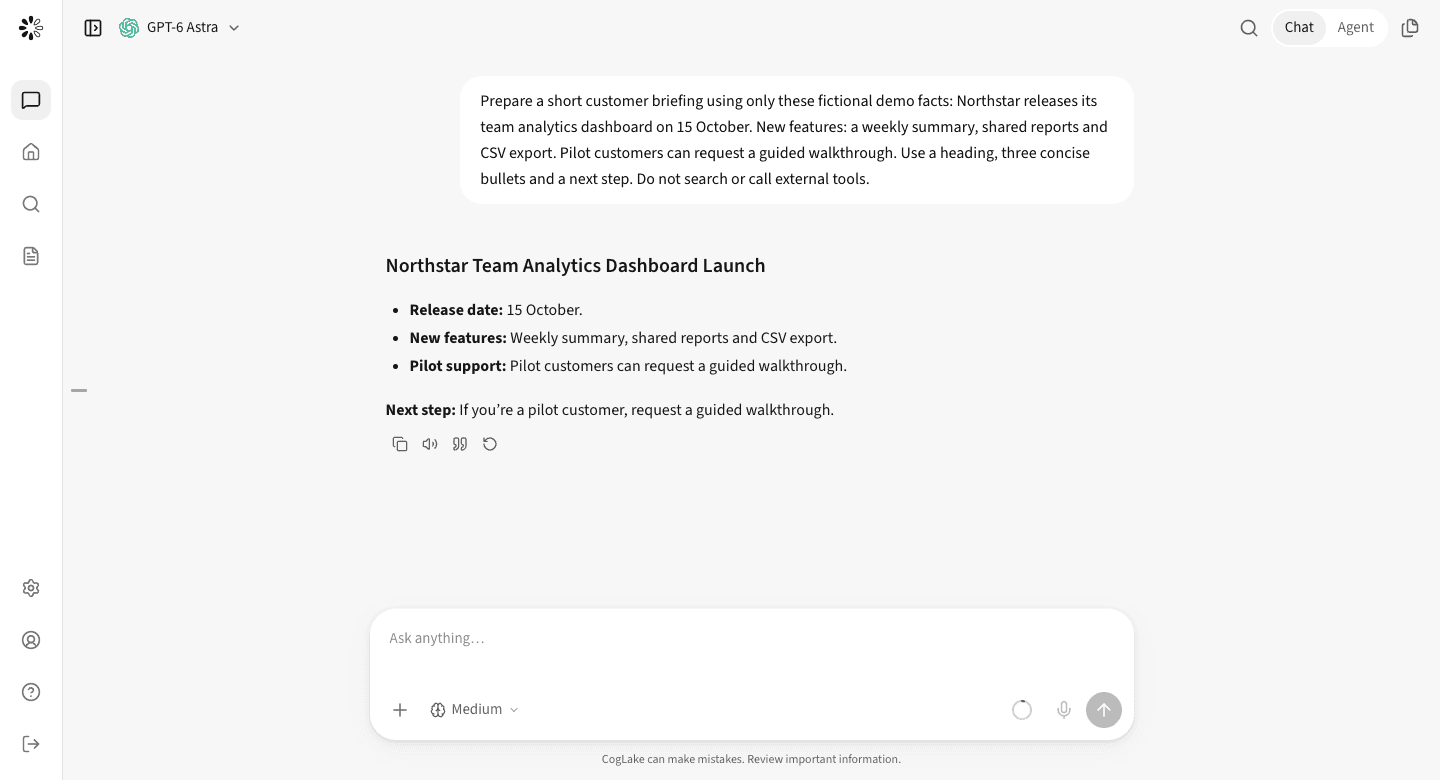
Chat with approved models and work with agents and automations that draw on your company context.
24/7 multi-agent platform
Dedicated agents with their own settings run on the server on schedules or events, with permissions, approvals, runtime limits and model budgets in force.
Central control of models, MCPs and skills
Decide which models, MCP servers, skills and actions agents may use, including an isolated agent browser.
Privacy, audit and open interfaces
Sensitive data is masked before it reaches a model, every interaction is logged, and MCP and the REST API give ChatGPT, Claude, Copilot and your own agents the same context.
Typical use cases
Sales and proposals
Find references, prices and approved wording in seconds instead of digging through old proposals.
Support and operations
Support staff and dedicated agents work from the same verified answers in manuals, tickets and policies, and the agents keep going outside office hours.
Shared knowledge that lasts
Teams keep decisions and know-how in the shared wiki, so they stay accessible when people change roles, leave or join.
Integrations
- Google Drive
- SharePoint
- Exchange
- Nextcloud
- MCP
- REST API
 ChatGPT
- Claude
 Gemini
 Mistral
 GitHub Copilot
- Local models
Deployment
- SaaS with EU data residency
- Dedicated instance or on-premises for enterprises
- Bring your own keys or self-hosted models
- Desktop app for macOS
Rollout with centerbit
With CogLake, the rollout decides the value: which sources to connect, who may see what and which agents run first. We work that out with you and set it up.
- Connecting your sources and mapping permissions
- Structuring knowledge areas, the wiki and ownership
- Building agents and automations on CogLake
- On-premises rollout and operations
Related services
Frequently asked questions
Where is our data stored?
The SaaS version stores data in the EU. Enterprise customers can also run CogLake on a dedicated instance or on-premises.
Does CogLake respect existing permissions?
Yes. Retrieval is permission-aware: people and agents only receive content they are allowed to access.
Which AI models can we use?
ChatGPT, Claude, Gemini, Mistral, GitHub Copilot and local models. You can also bring your own keys or self-hosted models.
Get to know CogLake
Try CogLake on the product website or talk to us about your use case.